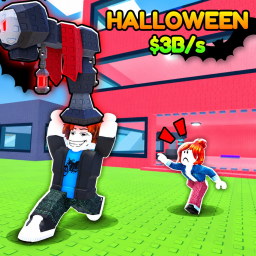
Steal a Tycoon! Codes (November 2026)
1 working code, checked Nov 7, 2026.
Working Steal a Tycoon! codes
| Code | Reward | Added | Source |
|---|---|---|---|
| Reward not listed by the source | unknown | Game description |
How to redeem codes in Steal a Tycoon!
- Open Steal a Tycoon! on Roblox, on any device.
- Look for a menu button on the side or bottom of the screen. It is usually called Codes, Twitter, Shop, Settings or shows a gift or bird icon.
- Type or paste the code into the text box. Codes are often case sensitive, so use the Copy button above to avoid typos.
- Press Redeem (or Enter) and your reward arrives straight away.
The exact redeem screen differs between games and developers move it around in updates, so if you cannot find it, check the game's description and the buttons in its main menu. Some games lock codes behind a minimum level or playtime. See the full guide to redeeming Roblox codes for tips.
Steal a Tycoon! facts
- Players now
- 415
- Creator
- Tinkery!
- Genre
- Simulation
- Last updated
- Nov 7, 2026
- Total visits
- 1,328,447
More Roblox games with working codes





Steal a Tycoon! codes FAQ
What are the newest Steal a Tycoon! codes?
The newest working Steal a Tycoon! codes we have are 500LIKES. The full list above was checked on Nov 7, 2026.
How do I redeem codes in Steal a Tycoon!?
Open Steal a Tycoon!, find the Codes or Shop menu, paste the code into the text box and press Redeem. The exact button differs from game to game.
Why is my Steal a Tycoon! code not working?
The code has probably expired, was typed with the wrong capital letters, or you have already redeemed it. Copy it with the button on this page, and try again after rejoining the game.